Watchlist
Follow parcels; get an email when one changes, comes off the list or sells.
What it does
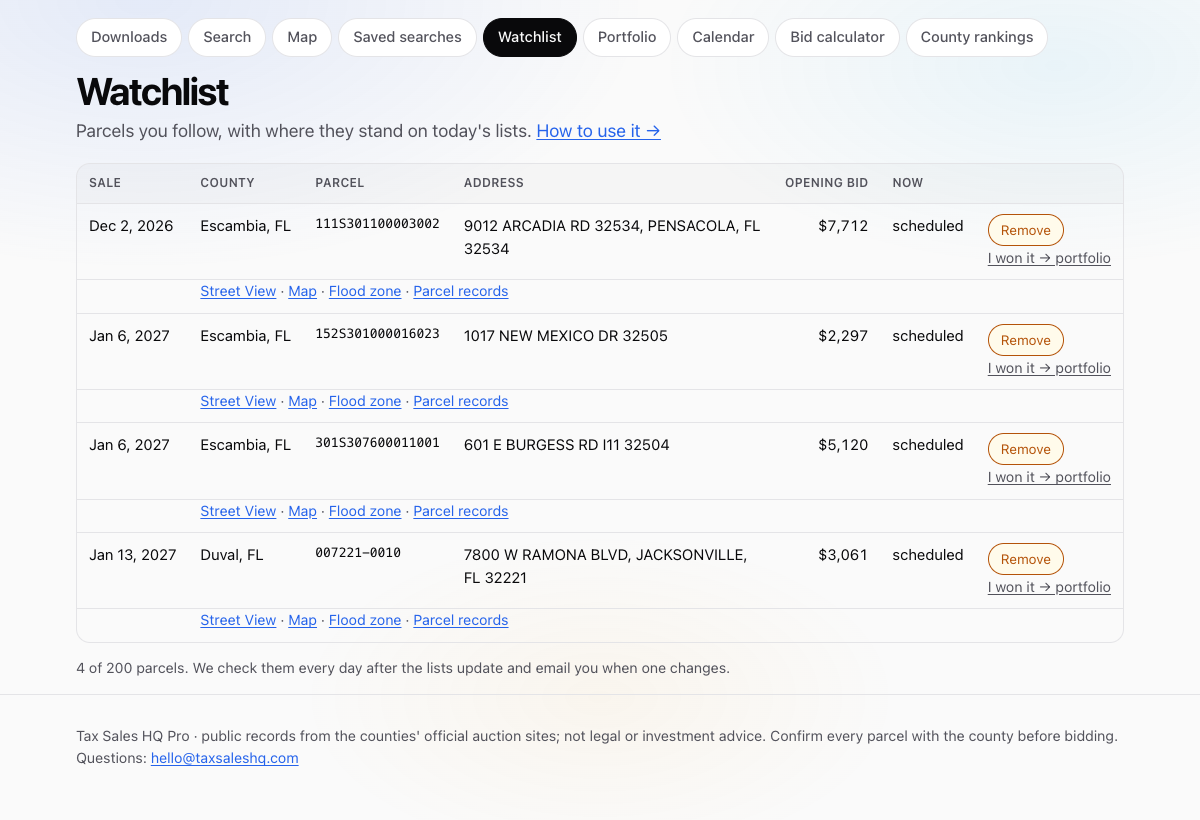
Watch the parcels you're interested in and we check them every day against the latest lists. You get an email when a watched parcel's sale date moves, its opening bid changes, it comes off the list before the sale (usually because the owner paid or redeemed), or the result is posted (sold and for how much, or no bid).
How to use it
- Press ☆ Watch. On a row in Search or in a map popup.
- Open Watchlist. It shows each parcel's current sale date, opening bid and status, with links to check it.
- Read the change emails. One email a day at most, listing every watched parcel that changed.
- Won it?. I won it → portfolio moves the parcel into your portfolio with the price filled in.
Tips
- Watch more parcels than you plan to bid on: many are paid off before the sale, and the email saves you a wasted trip or registration.
- Up to 200 parcels.
Questions
Why did a parcel come off the list?
Usually the owner paid the taxes; sometimes the county pulled it (bankruptcy, error). Either way it won't be sold at that sale.
Use the tools with Pro
Every tool is part of Tax Sales HQ Pro (from $24.99/month) along with the full lists and CSV downloads. Already a member? Log in with your email.