Portfolio
Liens and properties you won: interest so far and redemption deadlines.
What it does
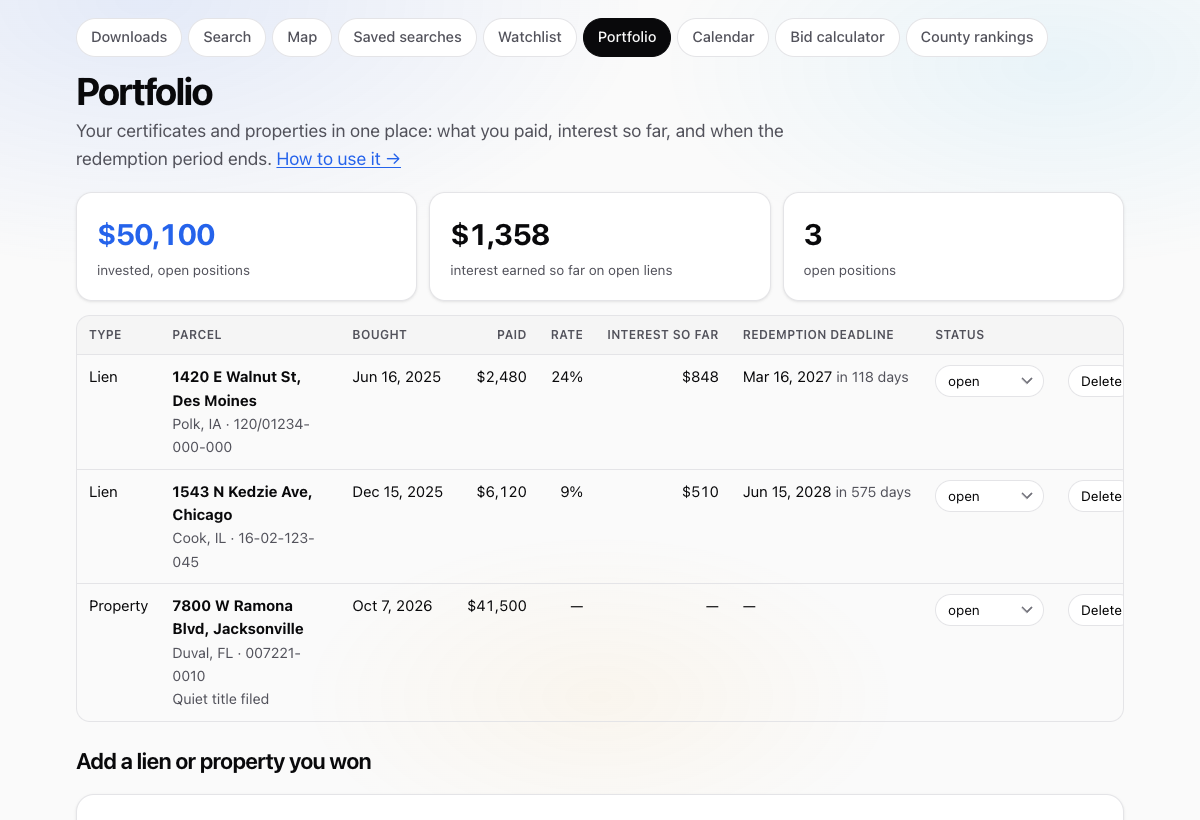
Keep the tax lien certificates and properties you've bought in one place: what you paid, the premium, the interest rate, interest earned so far, and the date the redemption period ends. We email you 60, 30 and 7 days before each deadline, when you can usually start foreclosure or apply for the deed.
How to use it
- Add a position. From the watchlist (I won it → portfolio) or the form at the bottom of Portfolio: type, parcel, purchase date, amount paid, premium, rate and the redemption period in months (or the deadline date).
- Watch the totals. Invested in open positions and interest earned so far on open liens.
- Update the status. Mark a position redeemed, sold, foreclosed or closed; interest stops on that day.
- Act on the reminders. The deadline emails list what's coming up and the interest so far.
Tips
- Interest is simple interest on what you paid from the purchase date. Some states add penalties or a minimum return; your actual payoff may be higher.
- Use Notes for the certificate number, the attorney or the next step.
Questions
Is my portfolio private?
Yes. It's stored with your Pro access and only you see it.
Use the tools with Pro
Every tool is part of Tax Sales HQ Pro (from $24.99/month) along with the full lists and CSV downloads. Already a member? Log in with your email.
Next: Sale calendar · All tools