Saved searches
Your filters, checked every day; new matches come to your inbox.
What it does
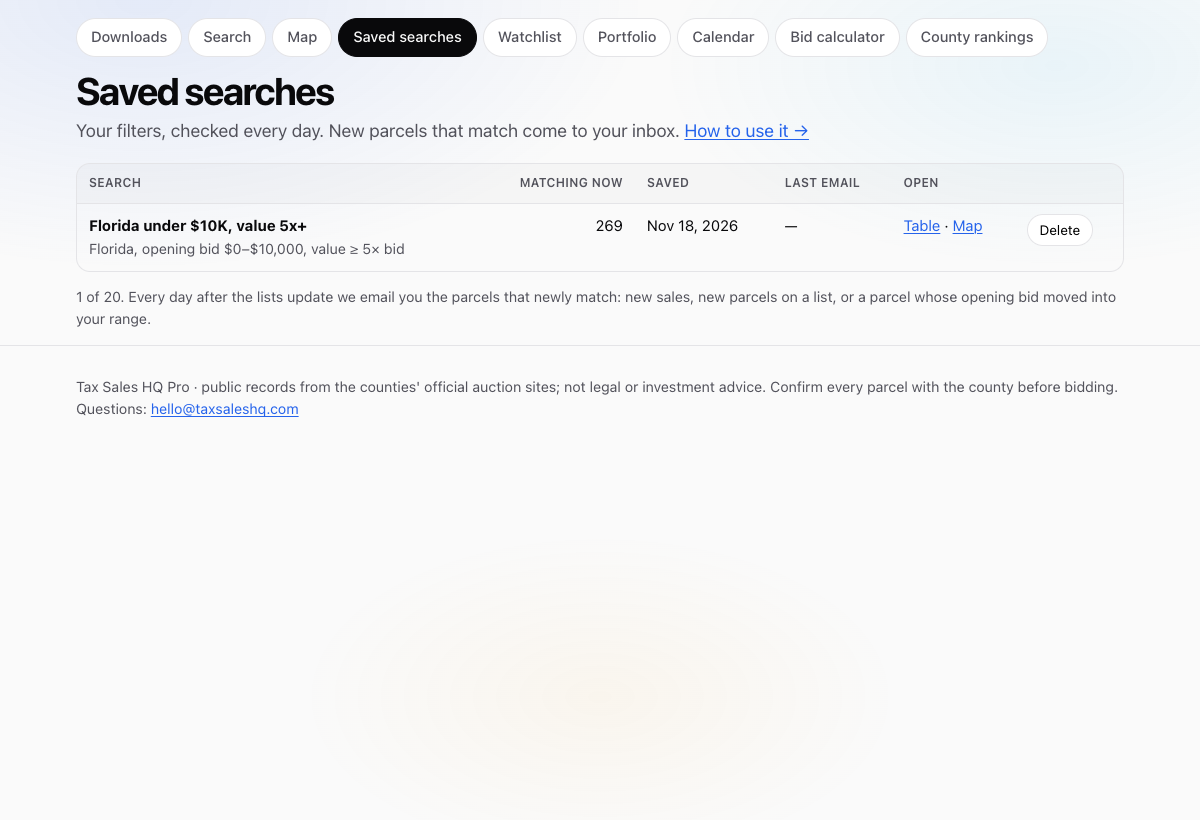
Save any search (for example Florida, opening bid under $10,000, value at least five times the bid) and every day after the lists update we email you the parcels that newly match: new sales, new parcels added to a list, or parcels whose opening bid moved into your range. Each email lists the parcels with their opening bid, value ÷ bid and how similar parcels in the county sold, with links to the map and table.
How to use it
- Set the filters in Search or Map. Saved searches cover upcoming sales.
- Press Save search. Give it a name if you like.
- Read the daily email. Only new matches are sent, so you never see the same parcel twice.
- Manage them. Saved searches lists them with how many parcels match now and when we last emailed you; delete the ones you don't need.
Tips
- Keep one broad search per state and a few tight ones for the counties you know.
- Up to 20 saved searches per member.
Questions
When do the emails come?
Once a day, after the auction lists update (afternoon, US Eastern time), and only when there is something new.
Use the tools with Pro
Every tool is part of Tax Sales HQ Pro (from $24.99/month) along with the full lists and CSV downloads. Already a member? Log in with your email.