Bid calculator
Your maximum bid for a deed sale, or what a tax lien certificate returns.
What it does
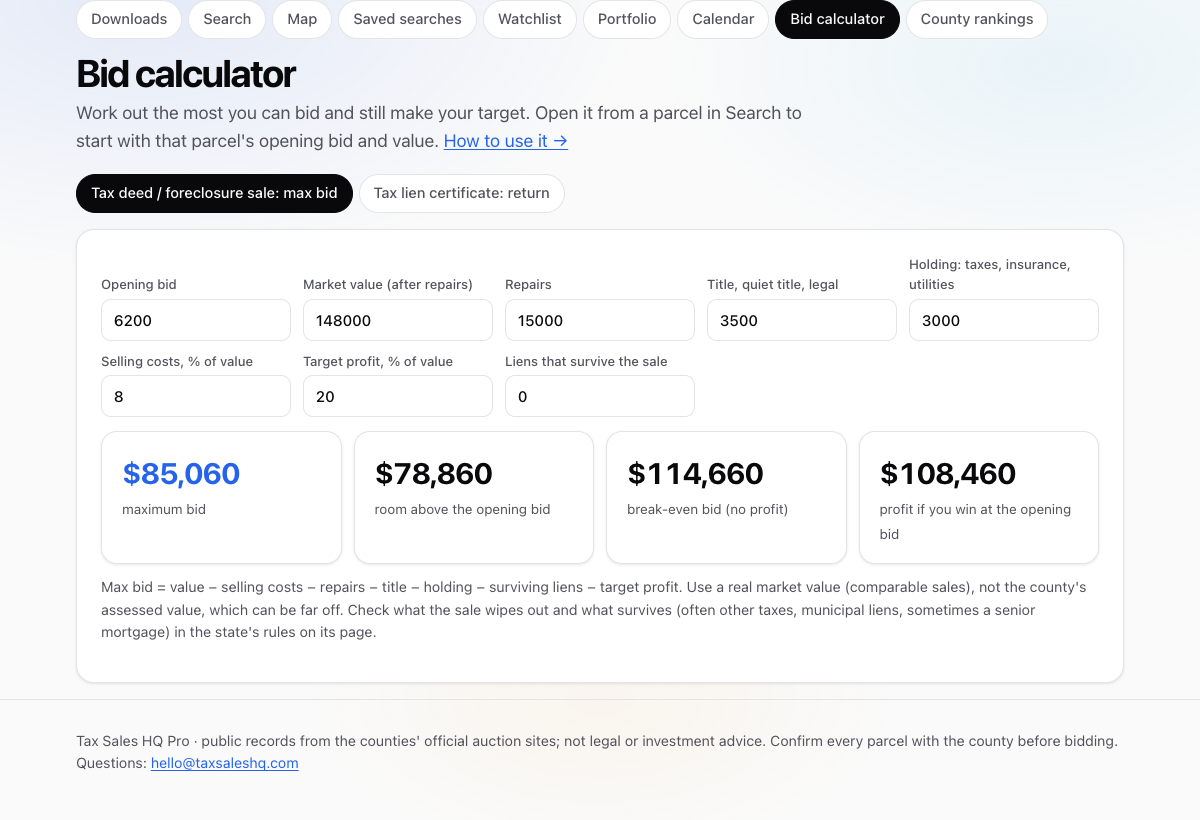
Two calculators in one. For tax deed and foreclosure sales: enter the market value, repairs, title and holding costs, selling costs and your target profit, and it gives your maximum bid, the room above the opening bid, your break-even bid and the profit if you win at the opening bid. For tax lien sales: enter the lien amount, premium, interest rate and months until redemption, and it gives what you get back, your profit and the annual return on your cash.
How to use it
- Open it from a parcel. Calc in the search table or the map popup fills in the opening bid and the county's value. In lien states it opens on the lien calculator.
- Replace the value with a real market value. Comparable sales nearby are a better guide than the assessed value.
- Fill in your costs. Repairs, quiet title or title insurance, holding costs until you sell, selling costs, and any liens that survive the sale in that state.
- Read your maximum bid. Stop bidding there. Room above the opening bid tells you if the parcel is worth registering for.
Tips
- Check what survives the sale in the state (often other taxes and municipal liens) on the state's page, and add it as Liens that survive the sale.
- For liens, the rate you win at is often below the maximum when bidders bid the rate down; try a few rates.
Questions
Is the calculator advice?
No. It does the arithmetic on the numbers you enter; the result is only as good as the value and costs you put in.
Use the tools with Pro
Every tool is part of Tax Sales HQ Pro (from $24.99/month) along with the full lists and CSV downloads. Already a member? Log in with your email.
Next: Saved searches · All tools